Worked example · Python, Flask and SQLite
Phishing Website Detection System source code
A local web tool where a user pastes a web address and gets a phishing verdict from weighted warning signs, with saved history and CSV export.
A real system made by the same builder you would use. Yours is built for your own topic and answers, so its screens and tables will differ. This example is not a source-code download.
The problem it solves
People need a quick offline way to judge whether a web address looks like phishing before they click it, without relying on an internet service or visiting the site.
Project topic: Design and Implementation of a Phishing Website Detection System
Who uses it
user
A normal user who runs phishing checks and works with their own saved results.
- Sign in and sign out
- Run a check from the dashboard
- See score, verdict and reasons for their checks
- View and reopen their own saved checks
- Download their own checks as CSV
admin
An administrator who manages accounts and rules and sees every check.
- Do everything a normal user can
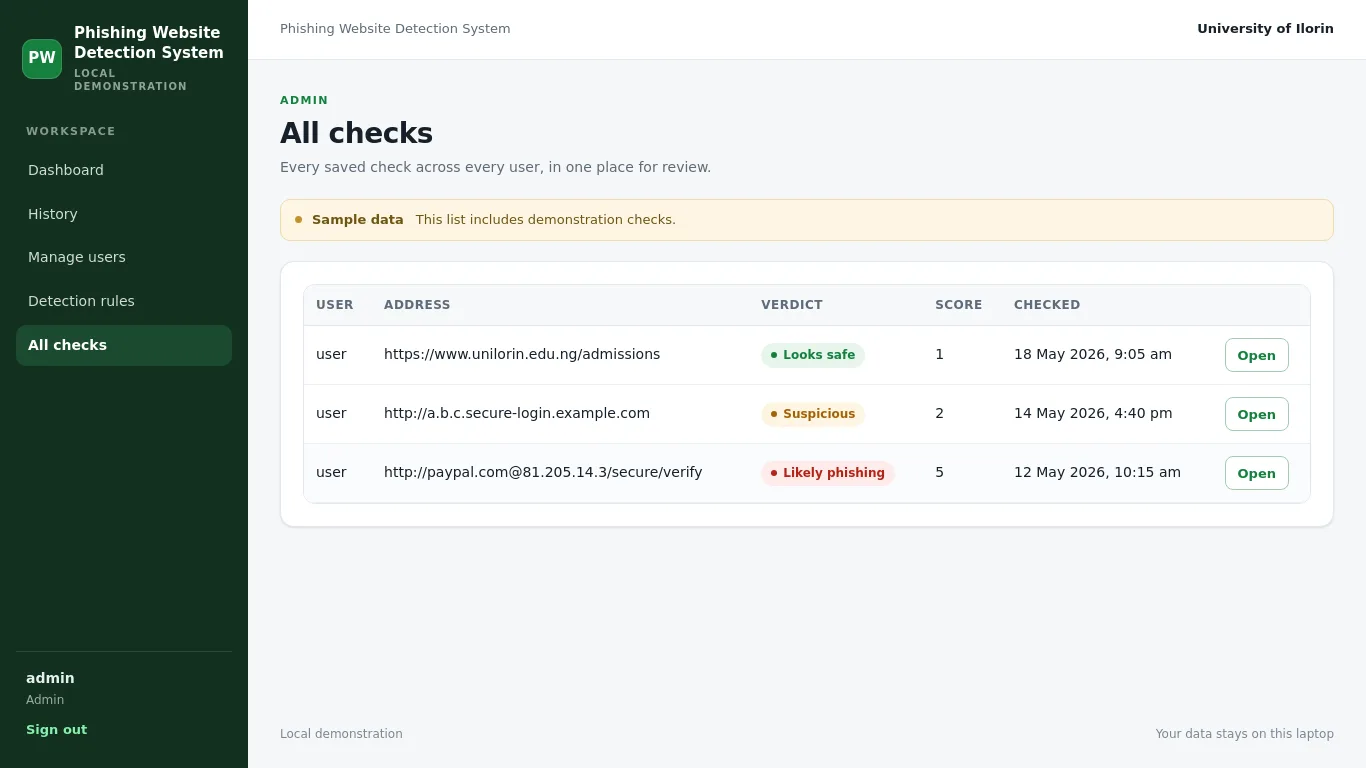
- View all checks from all users
- Create, disable and reset user accounts
- View and edit detection rules
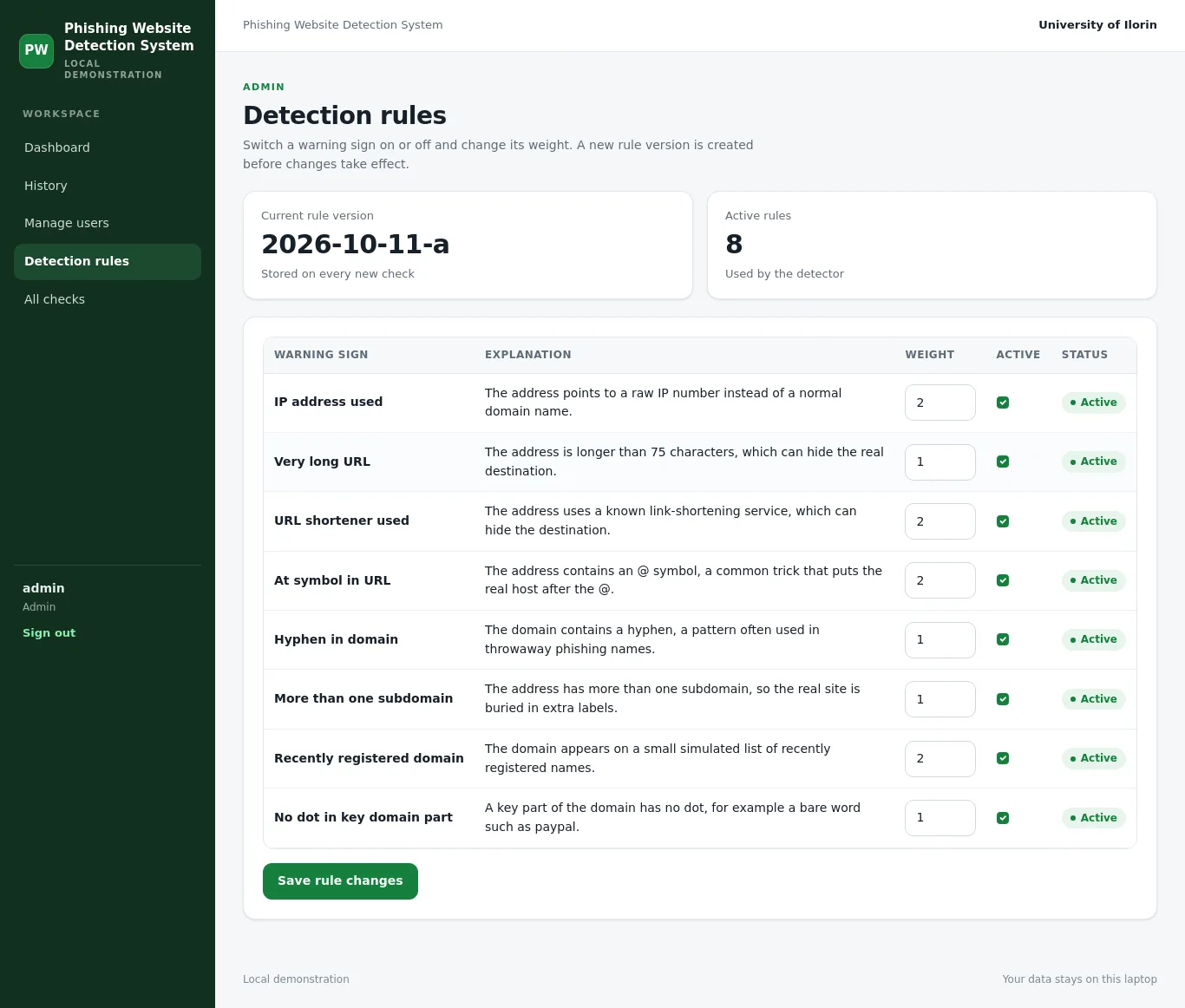
- Switch rules on or off and change weights
What it does
Run a phishing check
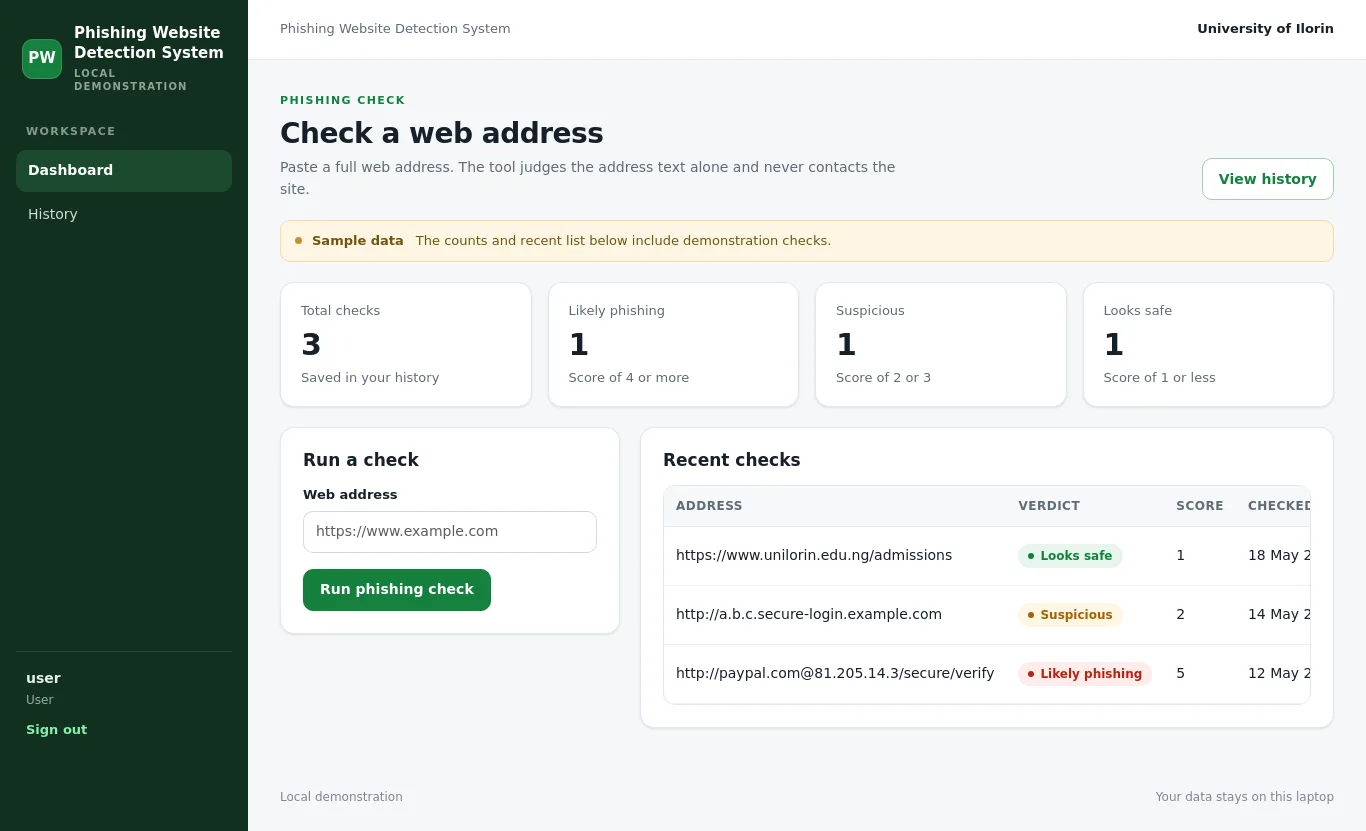
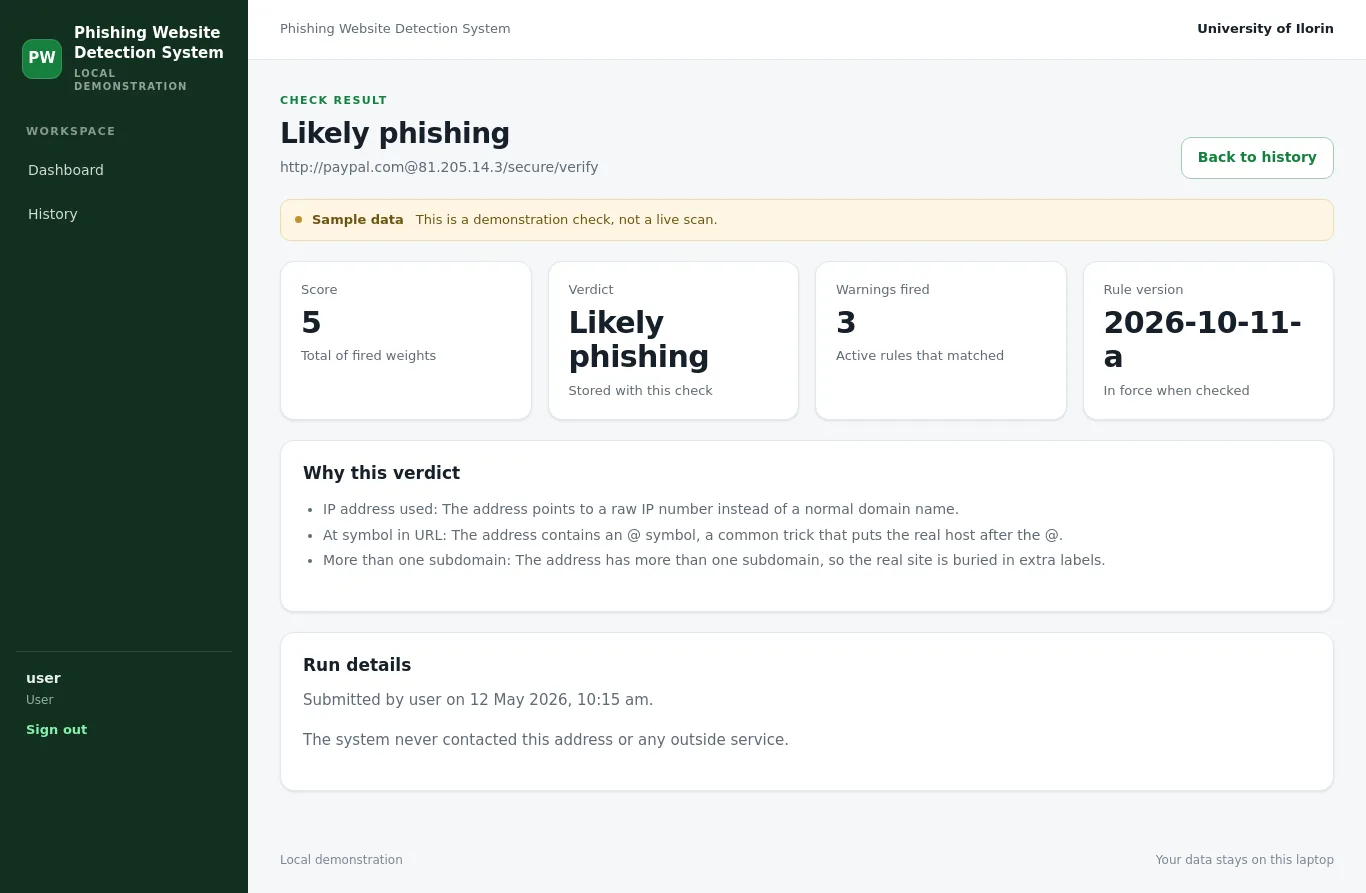
The user pastes a web address. The system checks it against the active weighted rules, calculates a score and verdict, and shows the fired warnings as reasons. The check is saved to the user's history.
View and export check history
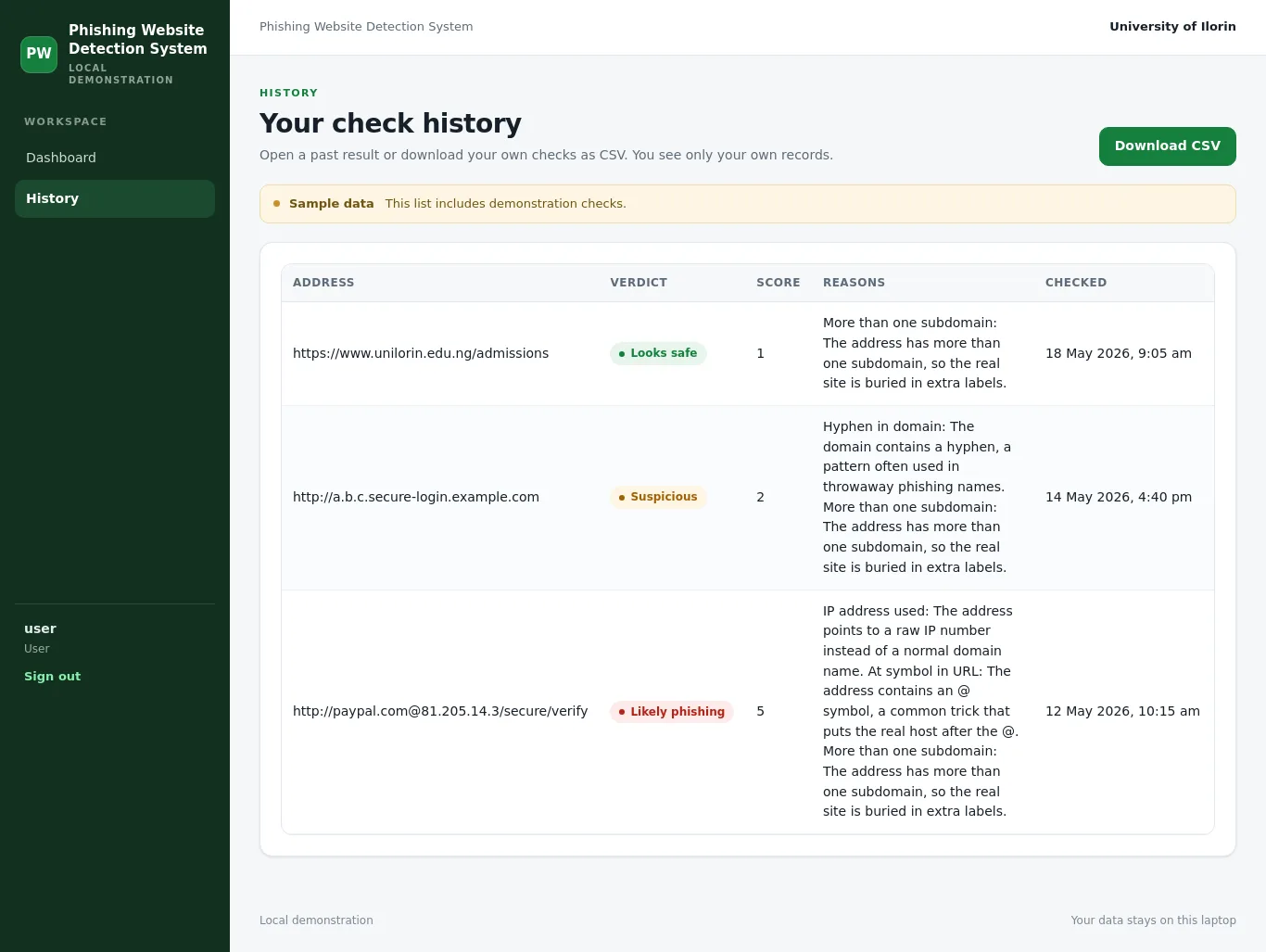
The user sees their own saved checks in a paginated list and can open any past result. A CSV download of their checks is available.
Manage detection rules
The administrator lists the warning signs, switches them on or off, changes their weights, and sees the rule version. Old checks keep the rule version and reasons from when they were run.
Manage user accounts
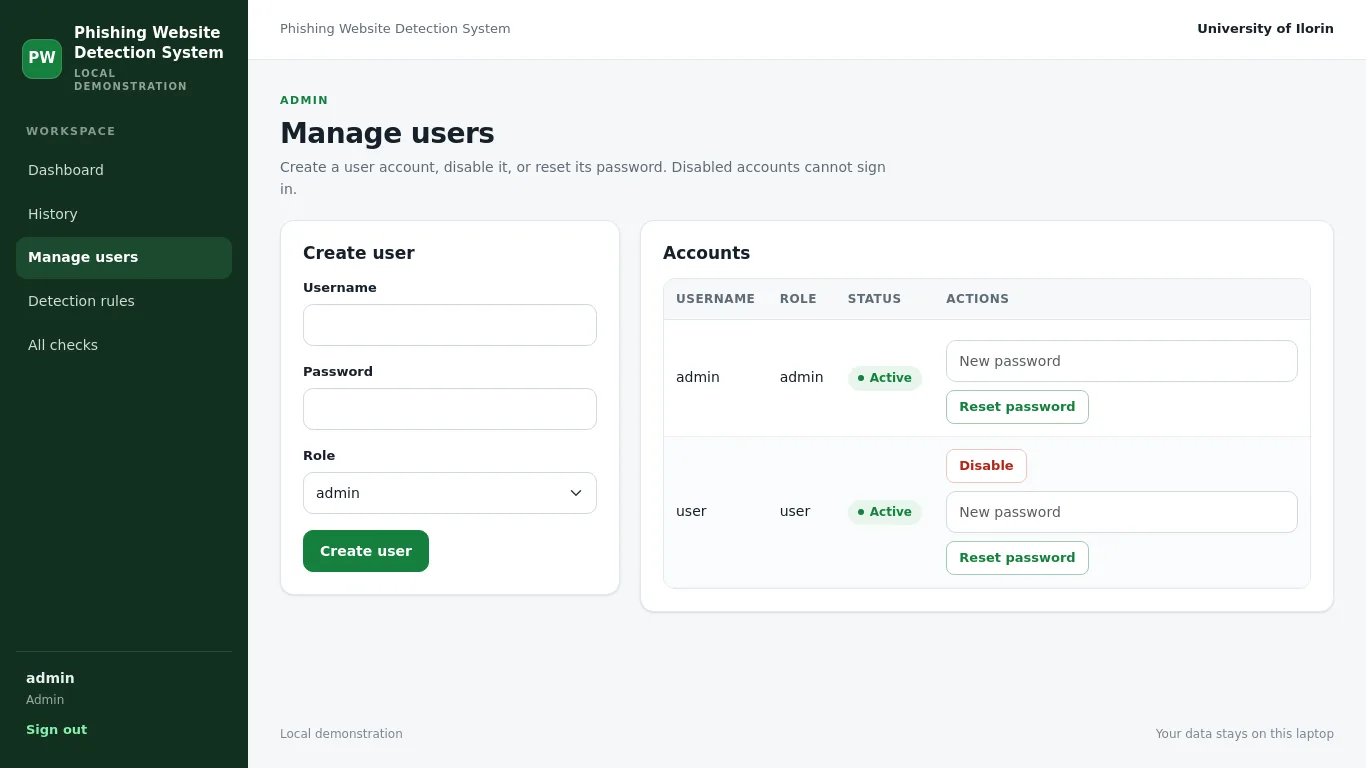
The administrator creates user accounts, disables them, and resets passwords. The administrator can also view all checks across all users.
Screenshots
Screenshots of the running system, taken by our checks. The records are sample data and are labelled so on each page.
Database tables
- usersStores user accounts and their role. Passwords are hashed with Werkzeug.id, username, password_hash, role, active
- rulesStores the warning signs used by the detector. Each rule has a weight and an on or off switch.id, name, description, weight, active
- rule_versionsRecords a short label for the rule list as it changes over time. Each check stores one label.id, label, created_at
- checksStores every phishing check that has run, with the score, verdict, stored reasons and rule version.id, user_id, url, score, verdict, reasons, rule_version, created_at, sample
Technology
- Python. Readable, and already supported by the project kit and run.bat.
- Flask. Small standard framework for a single laptop demonstration.
- Jinja. Comes with Flask, so templates extend base.html with no extra tooling.
- SQLite with sqlite3. One local file, works offline, and parameterised queries keep SQL safe.
- Bootstrap (local vendor files). Works offline and students can read the markup.
- Chart.js (local vendor files). Offline charting with no CDN if a student adds one.
- Werkzeug security. Built into Flask and avoids plain-text passwords.
- Flask-WTF CSRFProtect. Simple standard protection for local and classroom use.
How to run it: running a Python project on Windows. Not sure which language to pick? Python or PHP.
How it was tested
19 of 19 tests passed, 14 of them automated. The system was also installed from scratch and every screen was opened as the right kind of user before it was accepted.
What it does not do
- The detector judges the address text alone. It never loads the page, so it cannot see the page content, forms, images or links.
- It uses no live blacklist and no online service, so it cannot know about a brand-new site that is not yet reported.
- The 'recently registered domain' rule uses a small local list, so it is a simulated indicator, not a real WHOIS lookup. The page and guide label it as simulated.
- Rules are simple keyword and host checks, so a well-made phishing address can still score low.
- The app runs on one laptop for one user at a time. The session secret has a development default and must be changed before any shared use.
- The demonstration logins use known passwords and are for local practice only.
- The tool does not block, filter or quarantine anything; it only reports a verdict for an address the user types.
Chapters 3 and 4 from this system
With the MonoEd FYP Generator, signed in with the same Google account, press “Use my working system” when you write Chapter 3 or 4. Its real users, 4 database tables, screenshots and 19 test results go into the chapters, laid out under your supervisor's headings. Nothing is invented: anything the system cannot show, such as a user test, is left for you to fill in.
Want a phishing website detection system for your own school or business case?
Get a system built for your topic, with a guide, defence questions and screenshots. Plan it free, then ₦13,500 only if you want it built. View pricing.
Start with this topic