Worked example · Python, Flask and SQLite
Online Examination (CBT) System source code
An offline CBT system for a university where lecturers set timed exams, students take them once within a window, the laptop marks answers, and both sides see results, with CSV question upload and report export.
A real system made by the same builder you would use. Yours is built for your own topic and answers, so its screens and tables will differ. This example is not a source-code download.
The problem it solves
Paper exams are stressful to schedule and slow to mark. The department needs a single-laptop system that manages courses, questions, timed exam attempts and immediate results without internet.
Project topic: Design and Implementation of an Online Examination (CBT) System
Who uses it
admin
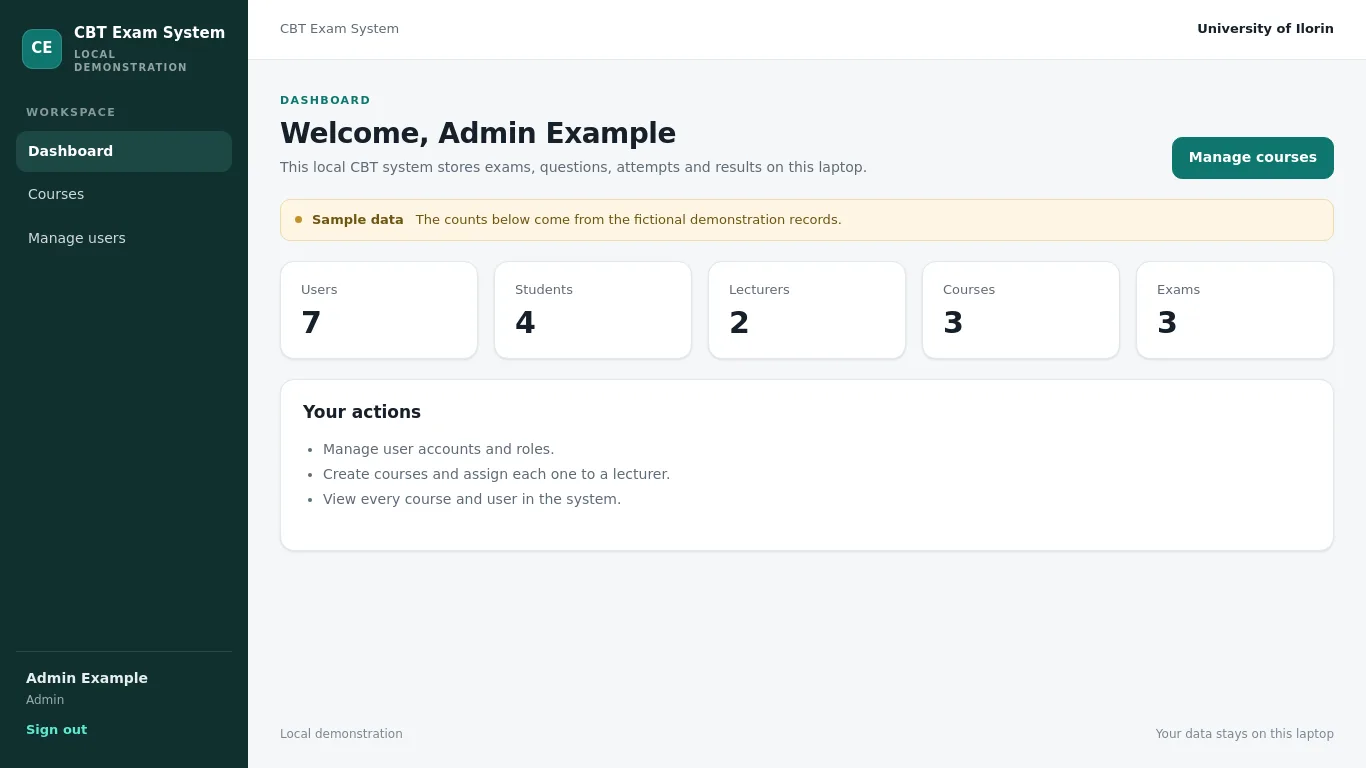
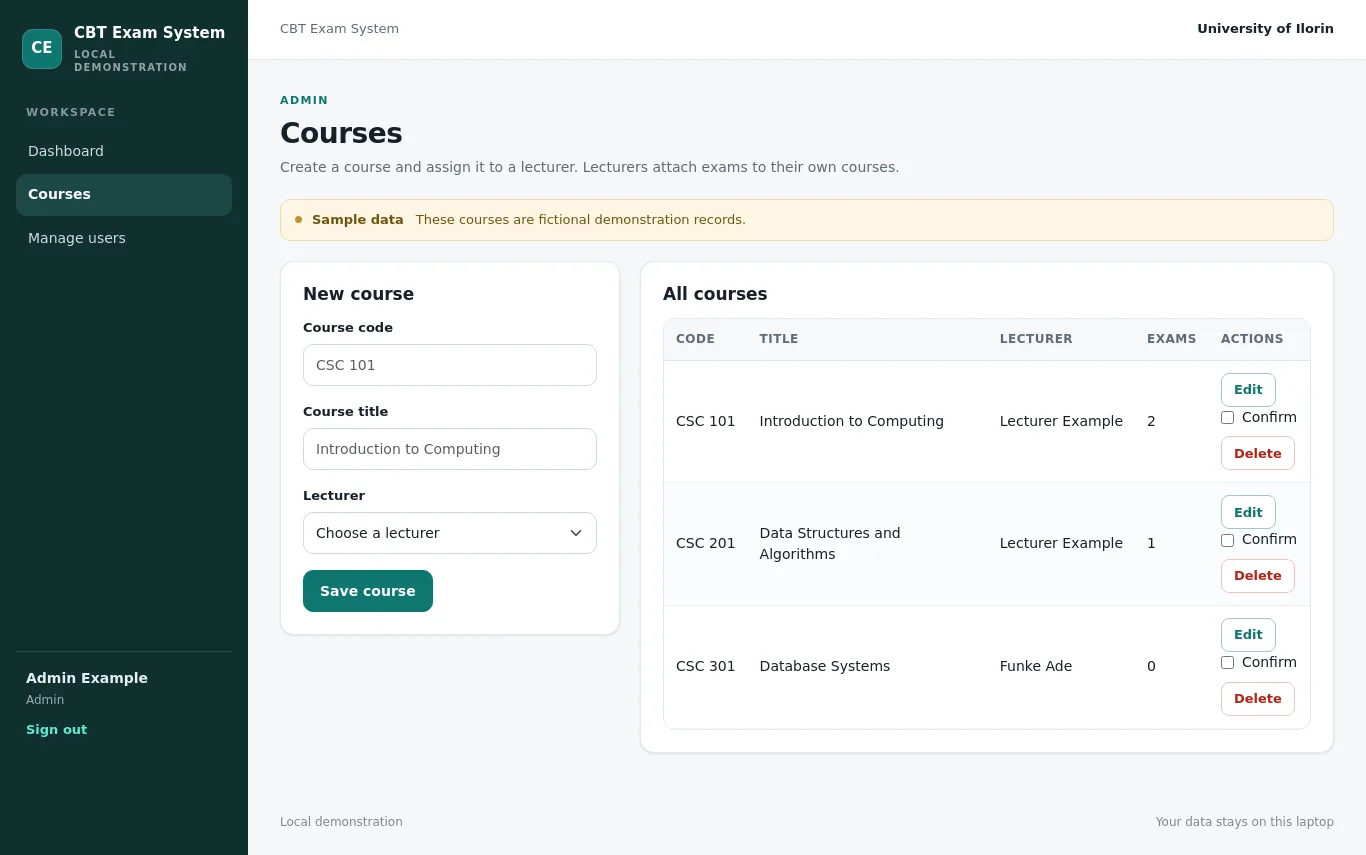
Manages user accounts and courses.
- Create and manage users
- Create and manage courses
- View all courses and users
lecturer
Creates exams and questions, views results for their own courses.
- Create exams for their courses
- Add questions manually or by CSV
- View results for their own courses
- Export results and print result slips
student
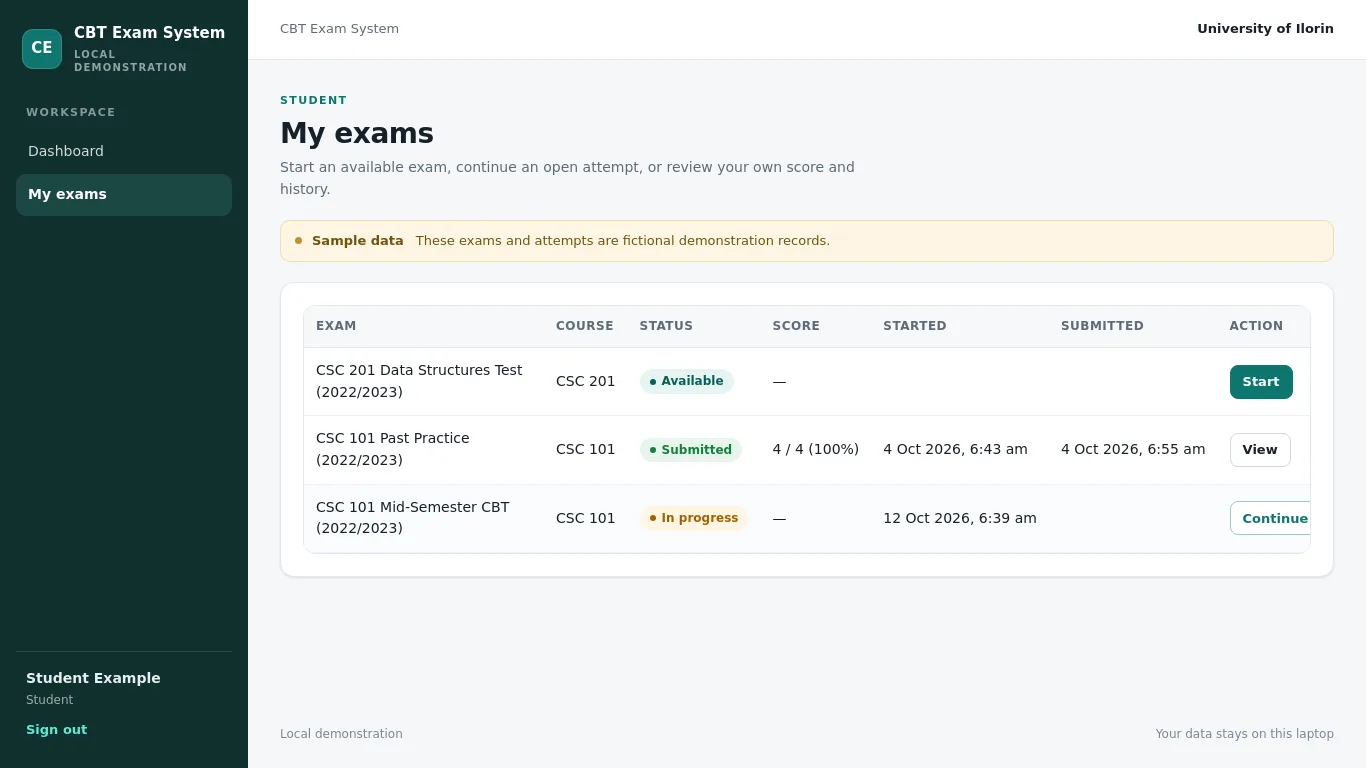
Takes exams and sees only their own scores and history.
- View available exams
- Start and submit an exam attempt
- View their own score and attempt history
What it does
Exam and question setup
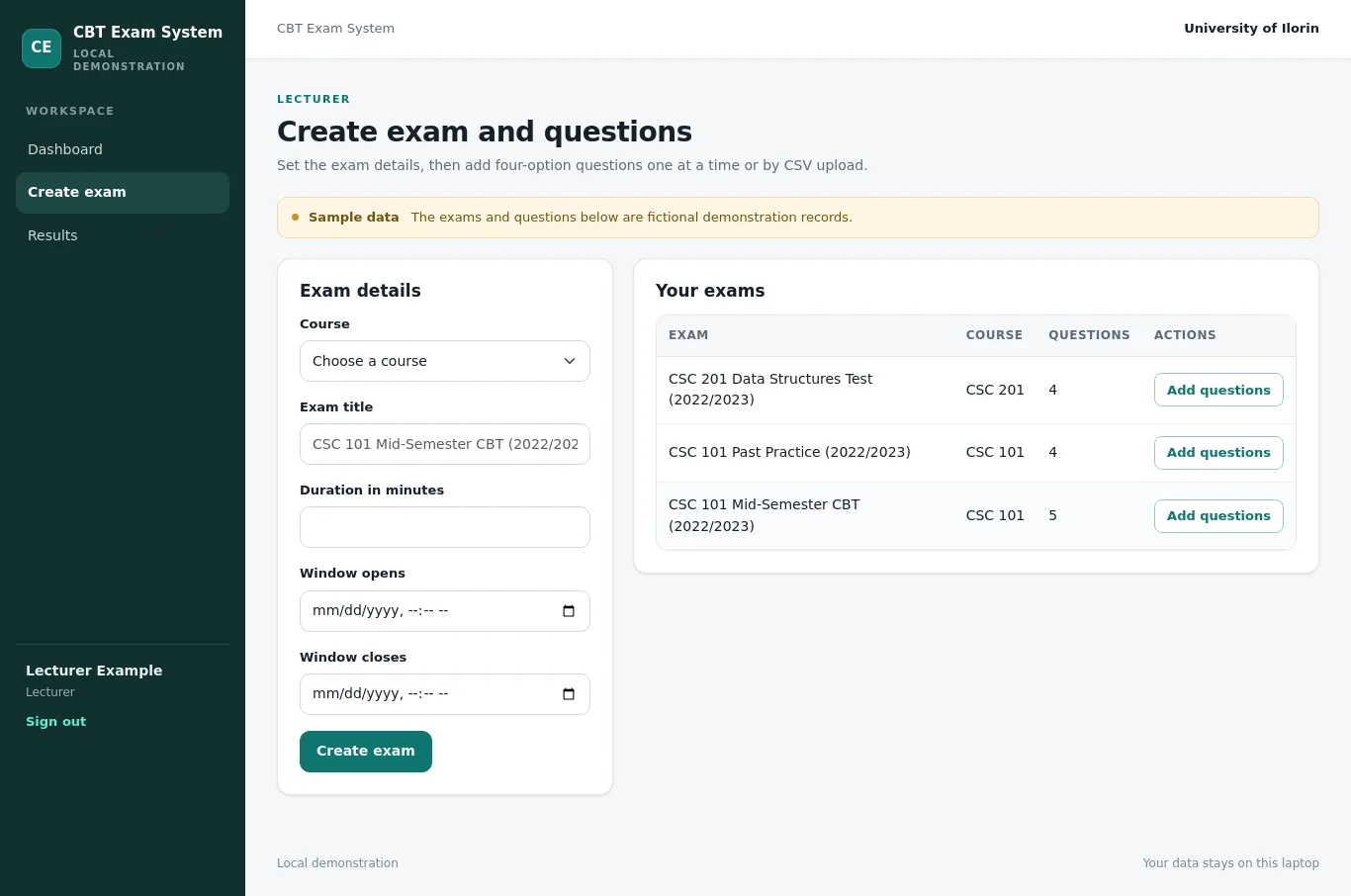
Lecturers create exams under their courses, set duration and window, add single questions with four options and the correct option, or upload a CSV using the fixed template. Invalid CSV rows are listed with line numbers.
CSV question upload
Upload questions in bulk with columns question, optionA, optionB, optionC, optionD and correct. The system validates every row and reports invalid rows with their line numbers so the lecturer can fix the file.
Timed exam taking
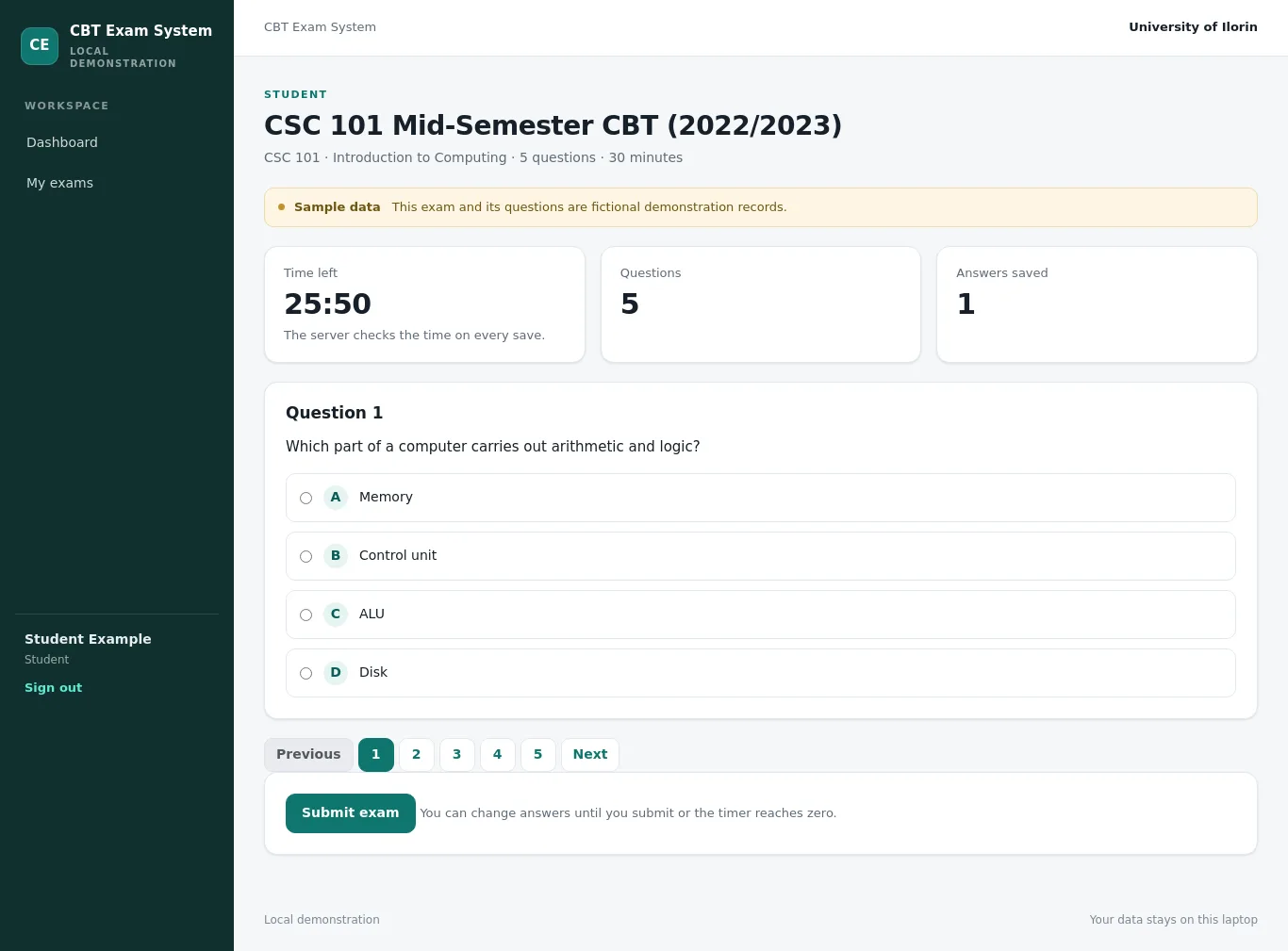
Students see available exams, start an attempt and answer inside a countdown timer. Answers are saved as they go. The server checks remaining time on every save, auto-submits at the end and refuses late answers.
Automatic marking and results
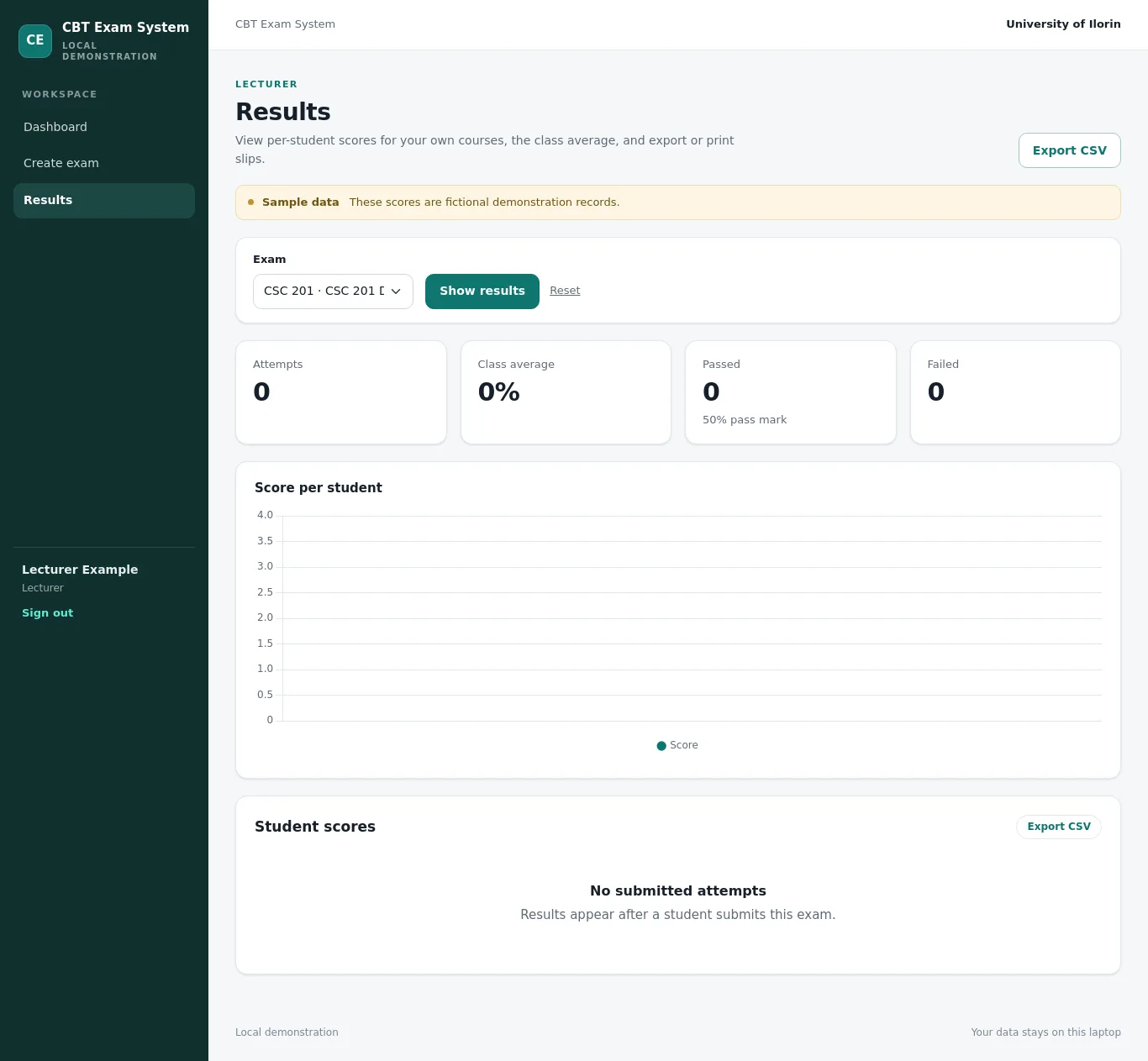
The laptop marks answers immediately after submission. Students see their own score and history. Lecturers see each student's score, pass or fail, class average, and can export CSV or print a result slip.
Screenshots
Screenshots of the running system, taken by our checks. The records are sample data and are labelled so on each page.
Database tables
- usersStores login details and role for every user.id, username, password_hash, full_name, role, created_at
- coursesStores courses exams belong to, each owned by one lecturer.id, code, title, lecturer_id
- examsStores exam details, duration and time window.id, course_id, title, duration_minutes, window_start, window_end
- questionsStores questions, four options and the correct option for each exam.id, exam_id, question_text, option_a, option_b, option_c, option_d, correct_option
- attemptsStores one attempt per student per exam, with score and status.id, exam_id, student_id, started_at, submitted_at, score, status
- answersStores the chosen option for each question in an attempt.id, attempt_id, question_id, chosen_option
Technology
- Python. Required stack and readable by students
- Flask. Lightweight routes and templates for a single-laptop app
- Jinja. Keeps HTML separate from Python
- SQLite. Single-file offline storage with parameterised queries
- Bootstrap. Works offline with no CDN
- Chart.js. Visual summary without an online dependency
- Werkzeug security helpers. Passwords are hashed and never stored as plain text
- Flask-WTF CSRFProtect. Prevents cross-site request forgery
How to run it: running a Python project on Windows. Not sure which language to pick? Python or PHP.
How it was tested
21 of 21 tests passed, 21 of them automated. The system was also installed from scratch and every screen was opened as the right kind of user before it was accepted.
What it does not do
- The system runs on one laptop at http://127.0.0.1:5000 and is not a live multi-user server.
- There is no webcam or face check and no screen lockdown, so it does not detect cheating.
- One attempt per exam per student; a lecturer cannot reset an attempt from the screens.
- No payments are taken and no SMS or email is sent.
- The countdown is enforced by the server, but a student could still open a second browser tab.
- The development session secret is a placeholder and must be changed before any real use.
Chapters 3 and 4 from this system
With the MonoEd FYP Generator, signed in with the same Google account, press “Use my working system” when you write Chapter 3 or 4. Its real users, 6 database tables, screenshots and 21 test results go into the chapters, laid out under your supervisor's headings. Nothing is invented: anything the system cannot show, such as a user test, is left for you to fill in.
Want a online examination (cbt) system for your own school or business case?
Get a system built for your topic, with a guide, defence questions and screenshots. Plan it free, then ₦13,500 only if you want it built. View pricing.
Start with this topic