Student Clearance Management System: a worked example in Python, Flask and SQLite
A Student Clearance Management System for a university that lets a student apply for clearance, tracks approvals across seven university units, and releases a printable clearance slip only when every unit has approved.
This is a real system made by the same builder you would use, for the topic “Design and Implementation of a Student Clearance Management System”. It is shown as an example. Yours is built for your own topic and your own answers, so its screens, tables and rules will differ. The source code on this page is not for download.
The problem it solves
Final-year students currently carry paper forms from unit to unit. There is no single view of progress, paper forms are lost or duplicated, and staff have no way to see only their own queue. The university cannot easily report who has cleared or where a student is delayed.
Who uses it
student
A final-year student applying for clearance.
- Apply for clearance once per session.
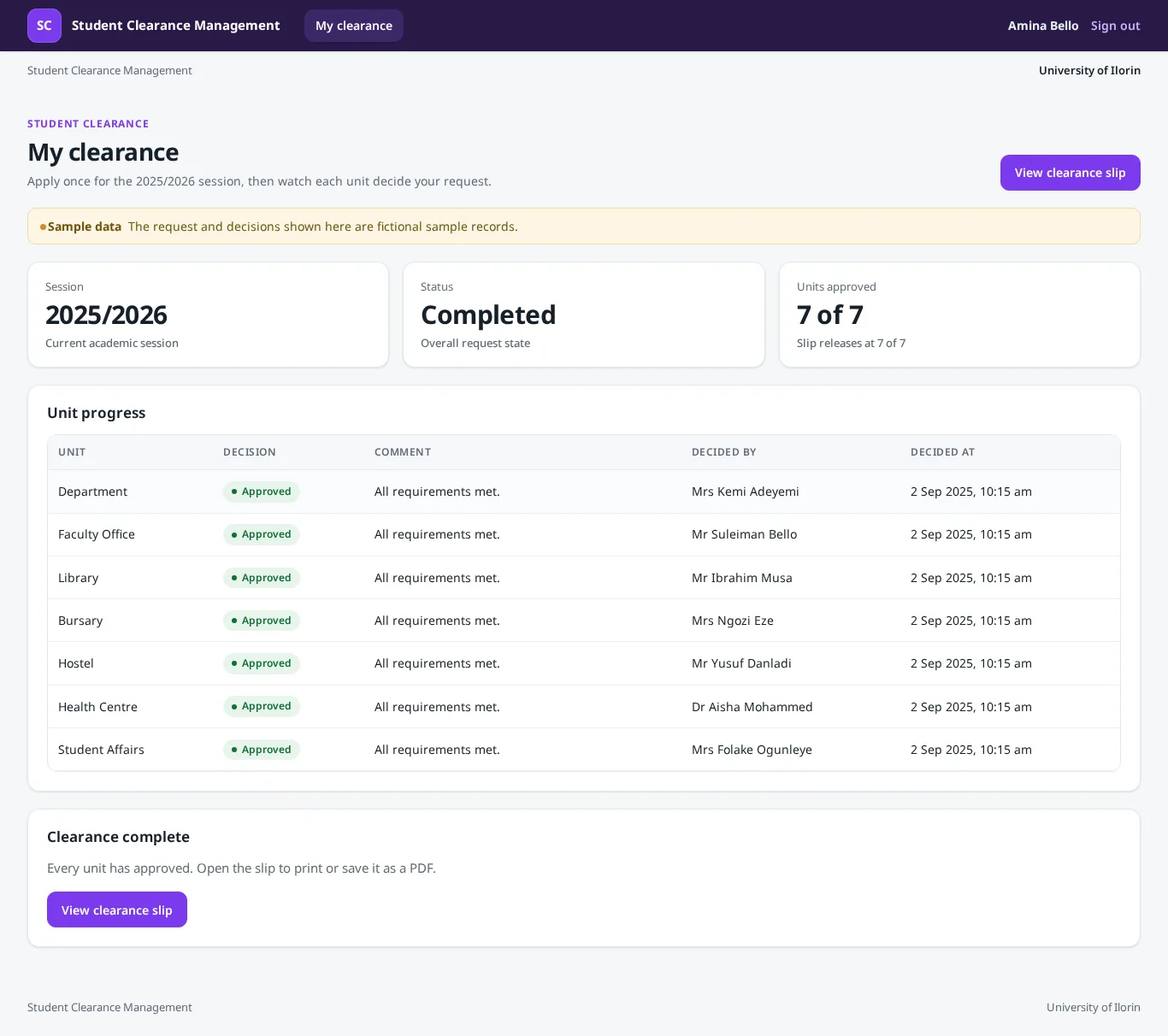
- View progress across all seven units on the student dashboard.
- Cancel their active request while it is still pending.
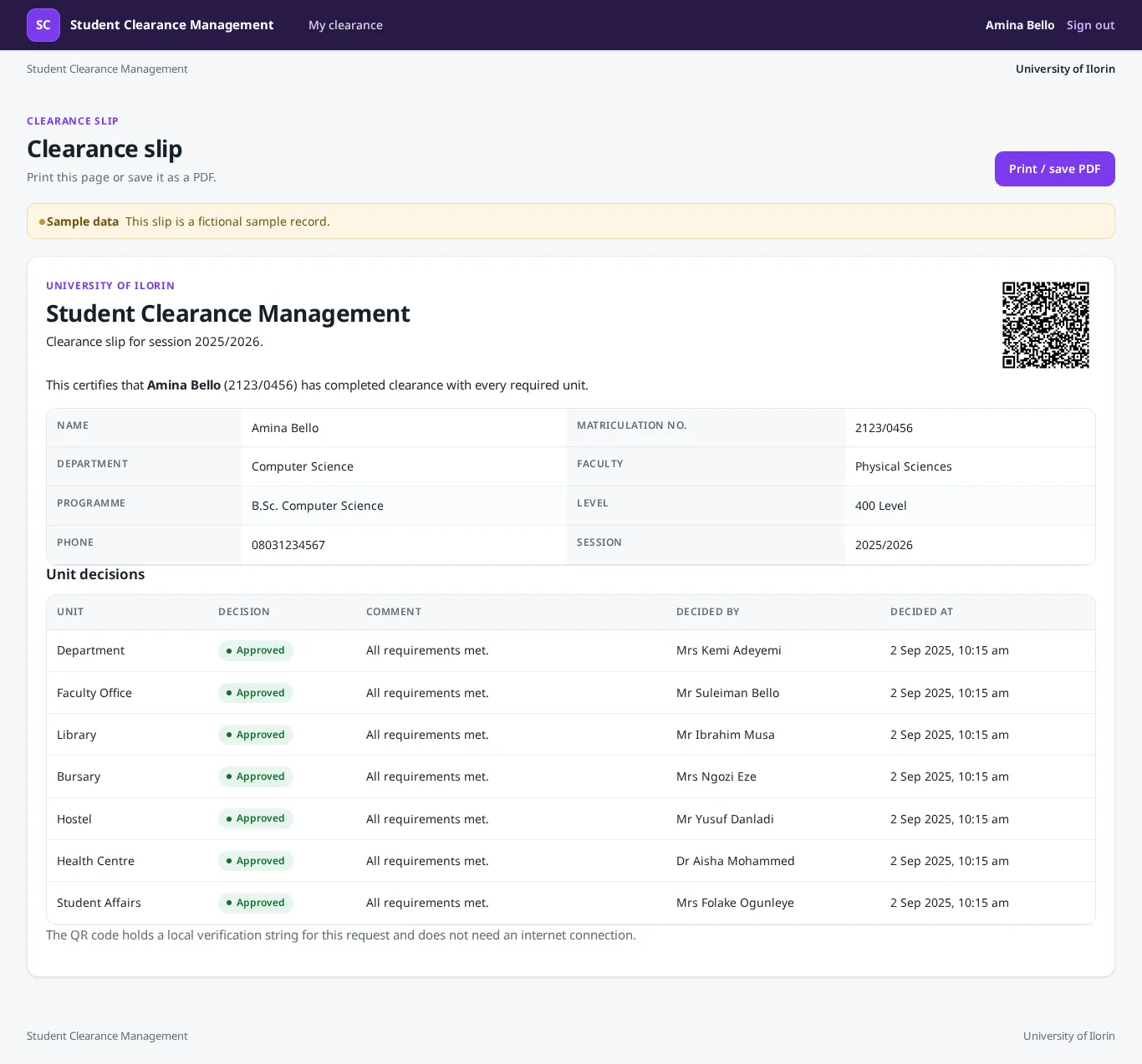
- View and print the clearance slip once all units have approved.
officer
A staff member assigned to one clearance unit.
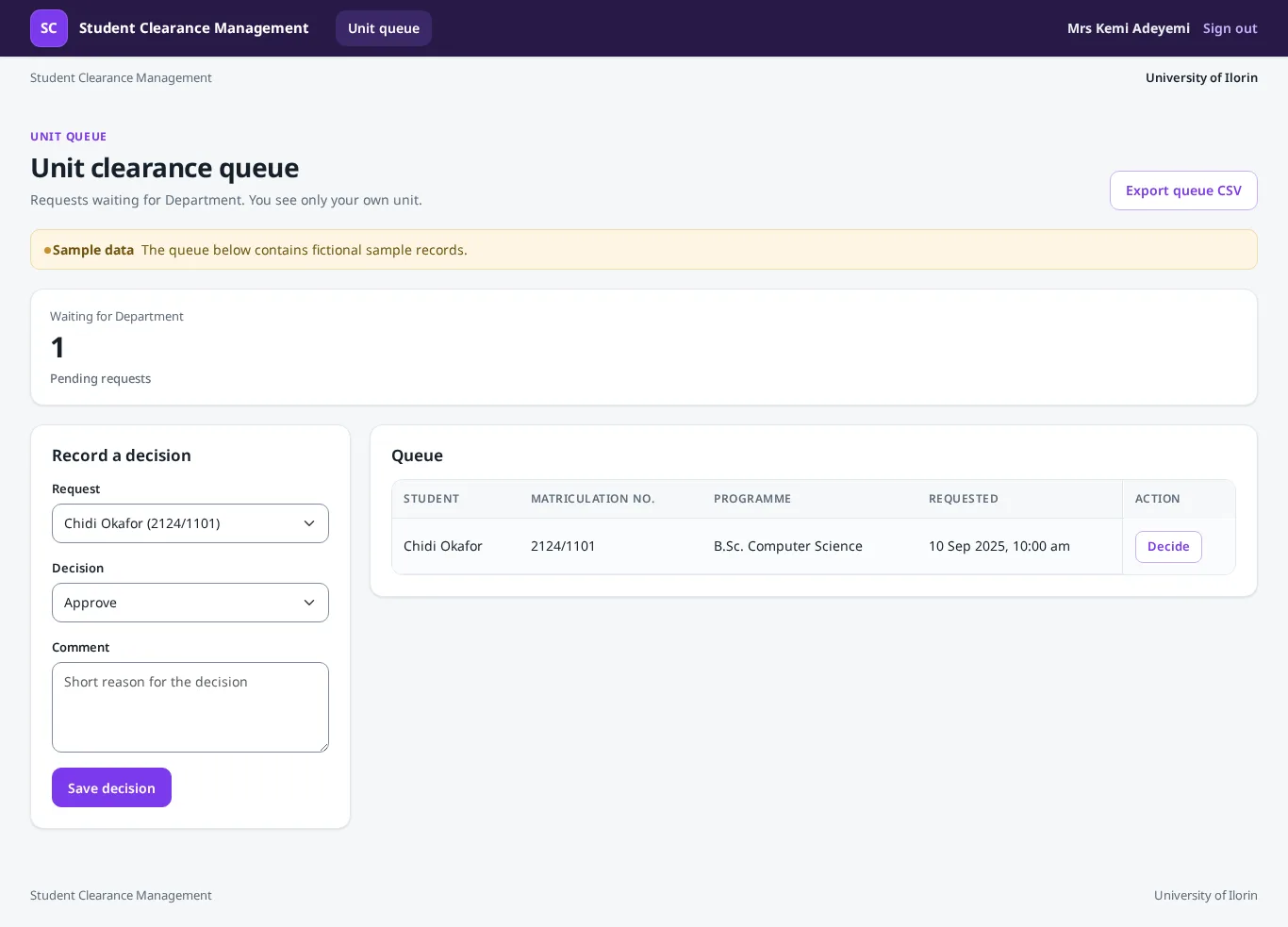
- View the queue of clearance requests for their assigned unit.
- Approve or reject a request for their unit, with a comment.
- Record a simulated payment or notification on a request.
- Export their own unit queue as CSV.
admin
System administrator for the clearance office.
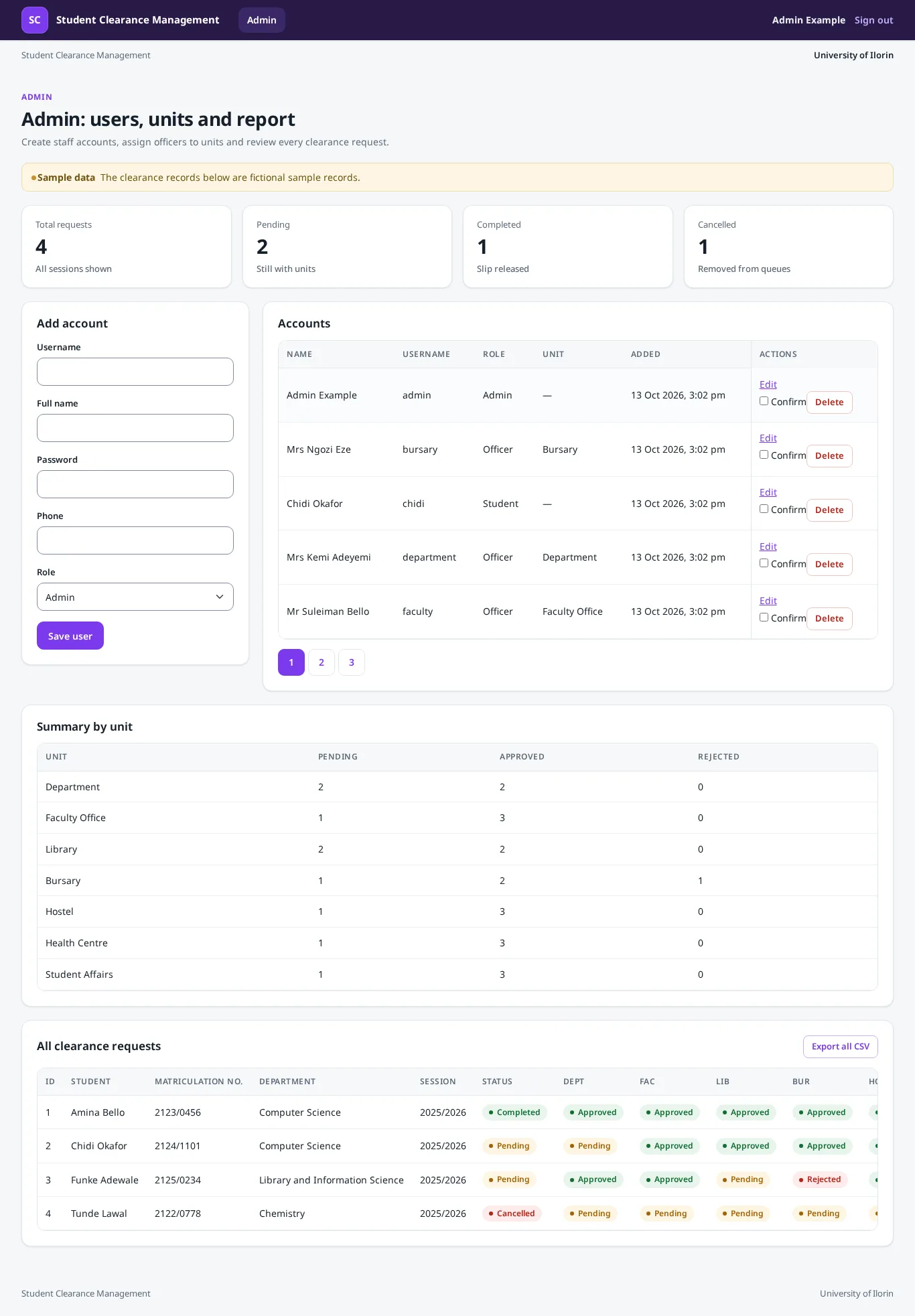
- Manage user accounts and assign officers to units.
- View all clearance requests and their unit statuses.
- View summary counts by unit and status.
- Export all requests as CSV.
What it does
Student clearance application and tracking
A student applies once for the current session, sees the live status of all seven units, and can cancel while the request is still pending.
Unit decision workflow with slip release
Each unit officer sees only their own queue, approves or rejects a request with a comment, and the system marks the request complete and releases the slip only when all seven units approve.
Admin users, units and reports
The admin creates staff accounts, assigns each officer to a unit, views every request with its unit statuses, exports CSV, and sees counts by unit and status.
CSV export of clearance queues
An officer can export their own unit queue; the admin can export all requests. Exports obey the same role-based visibility as the pages.
Simulated and labelled as such, not real: simulated payments and notifications.
Screens
Screenshots of the running system, taken by our checks. The records are sample data and are labelled so on each page.
Database tables
- unitsThe seven clearance units that must decide each request.id, name, code, sort_order
- usersStores accounts for students, unit officers and the admin.id, username, password_hash, role, unit_id, full_name, phone, matriculation_number, department, faculty, programme, level, created_at
- clearance_requestsOne active clearance application per student per session. A UNIQUE(student_id, session) rule keeps one request per student per session.id, student_id, session, status, is_sample, created_at, updated_at
- clearance_unit_decisionsOne row per unit for a request, recording the decision, the comment, the officer and the date. A UNIQUE(request_id, unit_id) rule keeps one decision row per unit so no unit can be skipped.id, request_id, unit_id, status, comment, decided_by, decided_at
- clearance_eventsSimulated payments and notifications recorded by a unit officer on a request.id, request_id, event_type, note, recorded_by, created_at
Built with
- Python. Readable and widely taught, so every line can be explained at defence.
- Flask. Lightweight and simple to trace from a URL to a function, matching the guide walk-throughs.
- Jinja. Bundled with Flask, so pages loop over the seven units and the decision rows with plain, visible code.
- SQLite (sqlite3). No database server to install, works fully offline, and parameterised SQL keeps the queries safe and visible.
- Bootstrap (local). Works with no internet at defence and gives a clean look without custom CSS.
- Chart.js (local). Bundled locally so reports render with no internet, and the chart data is read from the same SQL as the report table.
- Werkzeug. Bundled with Flask and a standard, safe choice for a classroom project.
- Flask-WTF CSRFProtect. A simple, well-known way to secure the workflow without hiding it from the student.
- qrcode (local). Runs on the laptop, needs no internet, and gives staff a quick way to read the slip reference.
How to run it: running a Python project on Windows. Not sure which language to pick? Python or PHP.
How it was tested
19 of 19 tests passed, 19 of them automated. The system was also installed from scratch and every screen was opened as the right kind of user before it was accepted.
What it does not do
- It is a single-laptop demonstration. Payments, SMS and email are not real; an officer records a simulated event and the page says so.
- There is no public self-registration. The admin creates every account.
- A recorded unit decision cannot be edited. The officer can only add a simulated event note afterwards.
- Units decide in any order. There is no automatic routing from one unit to the next.
- There is no archive for past sessions. The admin report shows every session together.
- The QR code holds a local reference string only. It is not signed and it does not call any external service.
Want a student clearance management system for your own school or business case?
Type your topic as your department approved it. You answer a few questions and read the full plan free. It costs ₦13,500 only if you want it built, with a guide, defence questions and screenshots.
Start with this topic